AEG robot vacuum cleaner care guide: Do's and Don’ts
Resolution
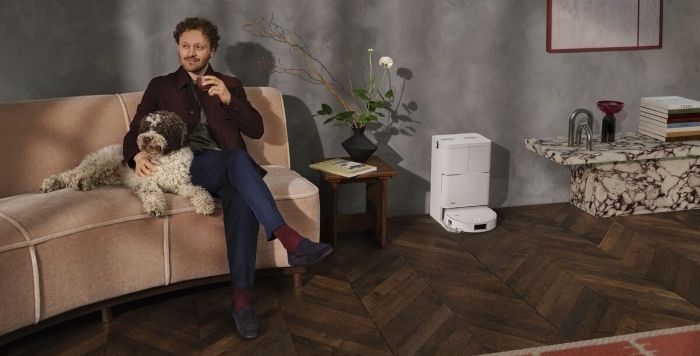
Regular cleaning and maintenance help maintain good suction and keep your AEG robot vacuum cleaner working efficiently. Follow these simple do’s and don’ts to keep your appliance in great condition.
Dustbin, air channel and charging contacts
The do’s
- Do keep the dustbin upright when removing it. This helps prevent dust and dirt from spilling onto the floor.
- Do check for dust inside the vacuum cleaner. Remove any remaining dust or debris before reinstalling the dustbin.
The don’ts
- Don’t let dust and debris build up in the air channels. Remove the dustbin and clear any blockages regularly to maintain good airflow.
- Don’t use water or liquid cleaners on the charging contacts. Wipe the contacts underneath the robot and on the charging base with a soft, dry cloth.
Filter care
The do’s
- Do clean the filters after every 5 cleaning cycles. Use the supplied brush to gently remove dust from the internal mesh filter and removable filter.
- Do rinse the removable filter with cold water. Allow it to dry completely for 24 hours before putting it back into the vacuum cleaner.
- Do replace the removable filter every 6 months. Use a recommended replacement filter to help maintain filtration performance.
The don’ts
- Don’t use hot or boiling water to clean the removable filter. Rinse it with cold water, keeping the temperature below 40°C.
- Don’t put a wet or damp filter back into the vacuum cleaner. Moisture can damage the motor, so make sure the filter is completely dry before use.
- Don’t remove or wash the internal mesh filter. Gently clean it with the supplied brush instead.
Brushes and rollers
The do’s
- Do remove tangled hair and threads from the brushes regularly. Check both the side brush and main brush roll to keep them rotating freely.
- Do use scissors carefully to remove stubborn tangles. Gently cut through threads wrapped around the main brush roll without damaging the bristles.
The don’ts
- Don’t use boiling water to straighten side brush bristles. If needed, soak the brush in hot, non-boiling water, then let it cool and dry completely before putting it back.
- Don’t forget to clean the brush bearings and mounting points. Remove trapped hair and debris from these areas to help the brushes rotate smoothly.
Sensors and wheels
The do’s
- Do clean the infrared sensor regularly. Gently wipe the sensor glass with a soft, dry cloth to remove dust and fingerprints.
- Do remove hair and threads from the wheels. Check the main drive wheels regularly and clear away any tangled debris.
The don’ts
- Don’t use abrasive cleaners or harsh chemicals on the sensors. These can scratch or damage the sensor glass and affect navigation.
- Don’t force the front wheel out of position. If the wheel gets stuck, carefully remove and clean it using a small screwdriver.
A little regular maintenance goes a long way. Keep your robot vacuum cleaner in great condition with the right care products, replacement filters and accessories.
Was this article helpful?
Related Articles
- How to take care of your AEG robot vacuum cleaner
- Robotic vacuum doesn’t charge or doesn't seem to finish charging
- Robotic vacuum cleaner displays error code E15
- Get started with your AEG robotic vacuum cleaner
- Updating the smart phone app
- Robotic Vacuum main brush malfunction: How to Resolve It
- Updating the robotic vacuum's software
- What is the minimum height of furniture under which a robotic vacuum cleaner can operate?
- Robotic vacuum could not find charging station
- Robotic vacuum stops while running, with no lights, error message or the display is blank
Related Articles
- How to take care of your AEG robot vacuum cleaner
- Robotic vacuum doesn’t charge or doesn't seem to finish charging
- Robotic vacuum cleaner displays error code E15
- Get started with your AEG robotic vacuum cleaner
- Updating the smart phone app
- Robotic Vacuum main brush malfunction: How to Resolve It
- Updating the robotic vacuum's software
- What is the minimum height of furniture under which a robotic vacuum cleaner can operate?
- Robotic vacuum could not find charging station
- Robotic vacuum stops while running, with no lights, error message or the display is blank