Resolution
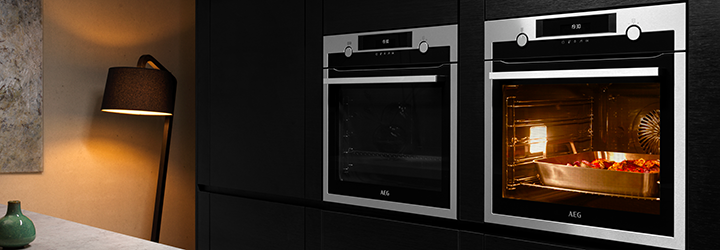
The wide variety of useful functions and programmes that are included with your AEG oven will enhance your cooking experience. Below is an overview of the different functions and symbols – to help you fully utilise your oven.
Different AEG ovens may have differing functions and programmes. Similarly, the names of functions and symbols may not be the same across all models. Please check which functions and symbols apply to your specific oven model.
Everyday cooking
The most commonly used cooking functions, and a description of each one is listed below. Useful recommendations regarding why and how to best use each cooking function have been provided to ensure optimal results.
 | Conventional cooking (Top & Bottom heat)
For everyday cooking on a single level. Good for everything from casseroles to baked goods.
Recommended use:
- Use only 1 level so heat distributes evenly above and below your dish. An additional level would block the heat
|
 | True Fan cooking
For everyday cooking on up to 3 levels at the same time. Fan distributes hot air to evenly cook food without mixing smells between dishes.
Recommended use:
- Set the temperature 20ºC lower than Conventional cooking
|
 | Moist Fan (Bake)
Get light and fluffy results when baking on a single level. Good for cakes, quiche, cookies, and sweet breads. Saves energy by using residual heat.
Recommended use:
- Keep door closed while cooking to maintain moisture in the oven
|
 | Bottom heat
Evenly brown bottom of food. Good for pizza or pie and finishing cakes or quiches.
Recommended use:
- Use the bottom level in oven
|
 | Grill (Full Grill)
Evenly grill or brown vegetables and meat. Also good for toasting bread.
Recommended use:
- Use the top level in oven
|
 | Turbo Grill
Roast larger meat joints and poultry with bones for tender results and crispy surface. Using a combination of hot air and top heat evenly browns food on every side.
Recommended use:
- Use middle or bottom level in oven
- Use a food sensor to get the best results for your meat/roast
|
 | Au gratin
Lightly brown the top of casserole dishes like lasagne or potato gratin for a crispy surface and creamy inside.
Recommended use:
- Use the middle level in oven
|
Steam Cooking
Steam can take your cooking to the next level – preserving tenderness and moisture in everything from poultry and baked goods to custards and casseroles. If your oven has steam functions, learn how to utilise them below.
 | Steamify®
For everyday cooking with steam. Oven adjusts steam level automatically based on temperature selection. Cooking with steam preserves nutrients and enhances flavours for any kind of dish.
Recommended use:
- When cooking below 100 ºC, you can place food in the oven immediately. No need to preheat
Learn more on how to use Steamify® |
 | Humidity
Get tender, juicy poultry or meat and a crispy, shiny surface for breads or baked goods by using a combination of hot air and steam. Depending on your oven model, you may have up to four levels of humidity to cook with.
There are 4 available levels for Humidity:
- Low: Good for any casserole, poultry, or meat
- Medium: Good for preparing stewed or spare ribs, and bread or sweet yeast dough
- High: Good for delicate dishes like custards, flans, terrines, and fish.
- Full Steam: A combination of steam and heat. Good for vegetables, poultry, meat, and casseroles
Learn more on how to cook with steam. |
 | Steam Regenerating (Reheat)
Gently reheat food for the best taste and texture. Good for leftovers and refreshing day-old bread or baked goods. Using steam to reheat prevents the food surface from drying out.
Recommended use:
- Place wire rack in the middle of the oven
Learn more on how to use the Steam Regenerating function. |
 | SteamBake / True Fan PLUS
Evenly bake bread for a soft inside and crispy surface using occasional bursts of steam. Good for any type of bread dough. |
 | Bread Baking
Evenly bake bread for a soft inside and crispy surface using occasional bursts of steam. Good for any type of bread dough.
Learn more on how to bake bread with steam. |
 | Yoghurt
Get creamy, thick homemade yoghurt.
Recommended use:
- For added tartness, steam yoghurt for a longer time
|
 | Sous Vide
Cook at a precise temperature in vacuum-sealed bags to get the best taste and texture for vegetables, fish, poultry, or meat.
Learn more on how to cook with Sous Vide. |
Preparing
Your oven may come with several convenient functions that are provided to streamline meal preparation as much as possible. Defrosting food has never been quicker or easier. Warm plates before serving to create a restaurant experience at home. Keep food warm while another element of your meal is still cooking, or if you need to delay eating.
 | Defrost
Gently defrost frozen food to get the best taste when cooked. Oven fan evenly distributes air, reducing defrosting time by half compared to leaving food out on a countertop.
Recommended use:
- Use the middle level of the oven
- For best results, remove food from packaging and place on oven-safe plate
|
 | Keep Warm
Keep cooked food warm and ready to eat. Oven maintains an even temperature so food does not overcook. |
 | Plate Warming
Gently warm your plates before serving.
Recommended use:
- For stacked plates, rotate every few minutes to distribute heat evenly
|
Specials
Your oven may come with functions that allow you to make certain specialty items at home. You can easily make pizzeria quality pizza, preserve fruits and vegetables, prove your dough and slow cook by utilising your oven’s Special functions.
 | Pizza
Evenly bake dough with a crispy crust. Good for pizza, quiche, tart, or pie.
Recommended use:
- Use the bottom level in oven
- Preheat baking tray while oven heats up
Learn more on how to use the pizza function. |
 | Preserve
Get juicy fruits and vegetables canned at a low temperature.
Recommended use:
- Use the bottom level in oven
- For best results, use jars that close with a clamp. Avoid twist-off jars or metal tins
- Make sure jars do not touch in the oven
|
 | Slow Cook
Cook food at low temperature with longer cooking time to preserve nutrients and get tender results. Good for vegetable stew or brisket. |
 | Dough Proving
Helps dough rise with consistent heat and humidity before baking. You can use a smaller quantity of yeast to attain good results within 1-2 hours, according to dough ingredients.
Recommended use:
- Use the bottom level in oven
- There is no need to cover the dough
- Avoid proofing for long durations
|
For more information about your specific oven model, check the user manual.
You can find your user manual here.