After a short power failure, Demo appears on the display and my oven will not heat up - AEG
Issue
- After power failure or after the fuse has been taken out, the display shows Demo without setting the demo mode manually.
- The heating setting, the temperature setting or other settings can be set, but the oven does not heat up.
Applies to
- Built-In Ovens
- Compact Ovens
- Double ovens
Resolution
Please ensure you are following the correct instructions for your oven display
PLEASE NOTE: If your oven is asking for a code with a “B C A” this means the Child Lock is on. Enter the code “A B C” to unlock. For more info on child lock settings click here
Ovens with command wheel
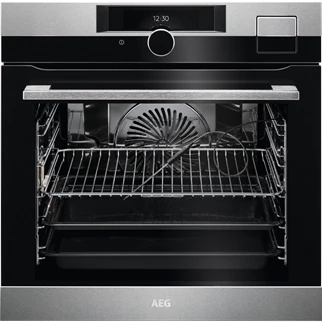
To deactivate the demo mode for command wheel models:
1. Switch on the device and select Menu with the command wheel.
2. Press the command wheel to confirm your selection.
3. Rotate the command wheel to find and select Basic Settings (last menu item).
4. Confirm by pressing the command wheel.
5. Rotate the command wheel to Service (last menu item).
Confirm again.
6. Select the first option "Demo Mode on".
Confirm again.
7. To deactivate the demo mode, enter the number sequence "2 4 6 8" using the command wheel to scroll and select.
Ovens with a touchscreen interface
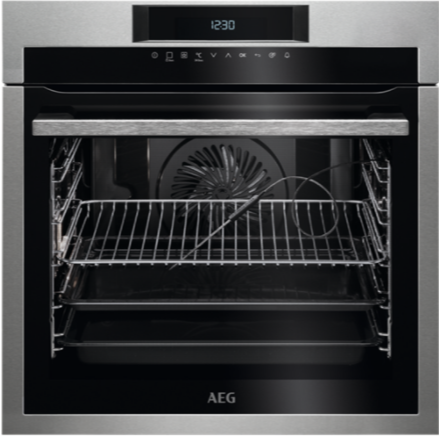
To deactivate demo mode for touchscreen models
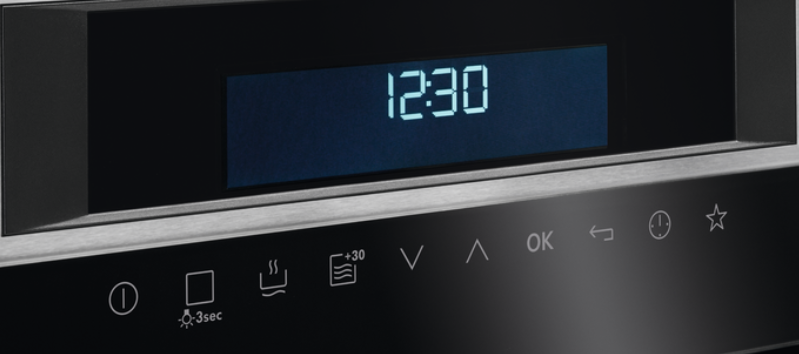
1 . Use up and down arrows to navigate to BASIC SETTINGS and press OK
2. Select “demo mode” and press OK
3. Select “off” and enter code “2 4 6 8” using the up and down arrows
4. Press OK to confirm
Ovens with retractable dials
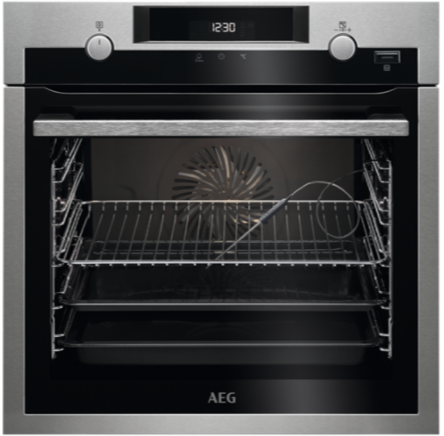
To deactivate the demo mode for rotary dial models:
1. Turn off the oven
2. Press and hold the following 3 buttons simultaneously:
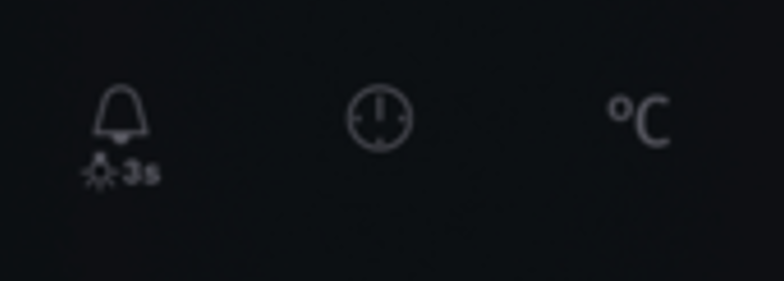
3. The word ‘Demo’ and number ‘1’ will flash
4. Enter the code 2 4 6 8 by turning the temperature knob to the right or left to change the values and press clock symbol to confirm: the next digit will begin to flash.
5. "DEMO" mode is deactivated when you confirm the last digit and if the code is correct.
Was this article helpful?
Related Articles
- Cleaning Guidelines for Matt Black Surfaces
- Symbols and functions on your AEG oven or cooker
- The door of the oven does not close properly
- How to remove a built-in oven door (video)
- Oven Trips Fuses or Circuit Breaker – Causes & How to Fix
- How to clean and care for your AEG oven
- What Is Defrost Oven Function?
- Using the Oven Grill Function
- How to remove oven shelf supports for cleaning
- Oven displays error message F11 / F111
Spare parts & Accessories
Find original spare parts and accessories for your appliance in our webshop and have them delivered directly to your door.
Related Articles
- Cleaning Guidelines for Matt Black Surfaces
- Symbols and functions on your AEG oven or cooker
- The door of the oven does not close properly
- How to remove a built-in oven door (video)
- Oven Trips Fuses or Circuit Breaker – Causes & How to Fix
- How to clean and care for your AEG oven
- What Is Defrost Oven Function?
- Using the Oven Grill Function
- How to remove oven shelf supports for cleaning
- Oven displays error message F11 / F111