How to calibrate the AEG SensePro® food sensor
Resolution
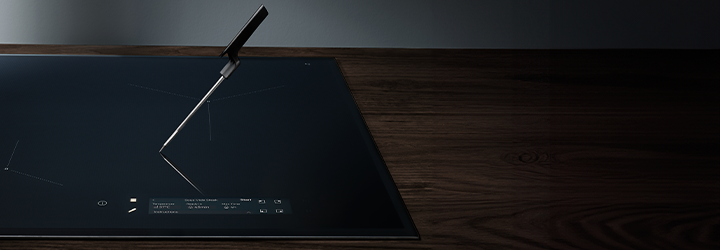
The AEG SensePro® hob comes with a food sensor that measures temperature and accurately maintains the food’s temperature. Before you use the food sensor for the first time, you need to calibrate it to ensure that temperature readings are correct.
Follow these steps to calibrate your SensePro® food sensor:
1. Put the food sensor on the rim of a pot with a bottom diameter of 180 mm.
2. Fill the pot with 1-1.5 litres of cold water (at least to the minimum level mark on the food sensor) and place it on the front left cooking zone.
3. Select Settings > Food Sensor > Calibration on the display and follow the instructions on the screen.
4. Press Start. Once the calibration is complete, a pop-up window will appear on the screen.
Good to know
- Do not put salt into the water, as this may affect the calibration procedure.
- Repeat the calibration if you move the hob to a different location with a change of altitude or if you replace the food sensor with a new one.
For more information about your specific induction hob model, check the user manual.
Now that you've learned how to calibrate the SensePro® food sensor, you may want to know more about how to use your SensePro® induction hob.
Was this article helpful?
Related Articles
- Induction Hob Installation Faults: Error Codes, Causes & Support
- Hob displays error message E9
- What Do The Gas Mark Numbers Mean / Relate To Temperatures?
- The ignition on my gas hob keeps sparking
- Gas Hob Ignition Won't Spark
- Hob displays message L, the hob is locked
- TotalFlex Hob will not detect pans and cookware
- Symbols and functions on your AEG induction hob
- How to use the power settings on a hob with basic controls (video)
- Hob displays error message E4 / E401 / E402 / E403 / E421...
Related Articles
- Induction Hob Installation Faults: Error Codes, Causes & Support
- Hob displays error message E9
- What Do The Gas Mark Numbers Mean / Relate To Temperatures?
- The ignition on my gas hob keeps sparking
- Gas Hob Ignition Won't Spark
- Hob displays message L, the hob is locked
- TotalFlex Hob will not detect pans and cookware
- Symbols and functions on your AEG induction hob
- How to use the power settings on a hob with basic controls (video)
- Hob displays error message E4 / E401 / E402 / E403 / E421...