AEG air purifier care guide: Do's and Don’ts
Resolution
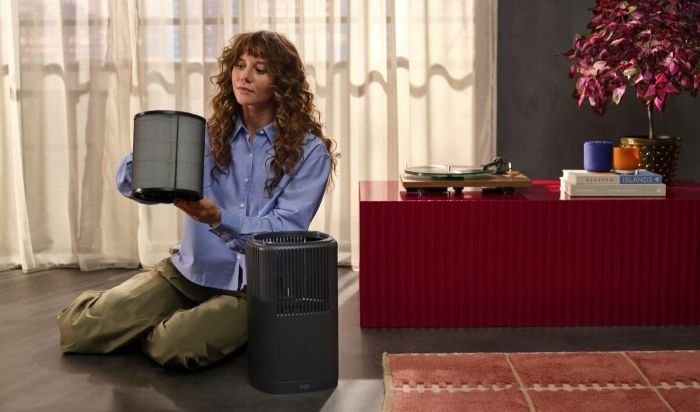
Proper maintenance keeps your AEG air purifier working efficiently. Use these simple do’s and don’ts to safely clean, store, and care for your appliance.
The do’s
- Do clean the air quality sensor area at least once a month. Use a vacuum cleaner with a soft brush attachment to remove dust and help maintain accurate air quality readings.
- Do clean the exterior mesh pre-filter regularly. Use a vacuum cleaner or damp cloth to remove dust, pet hair and other particles.
- Do reset the filter indicator after replacing the filters. Hold the Mode button for 3 seconds, or follow your model’s instructions if it uses automatic filter detection.
- Do empty and dry your air purifier before long-term storage. Empty the filter drawer and water tank, and remove and dry the humidification filter if your model has one, to help prevent mould and unpleasant odours.
The don’ts
- Don’t wash HEPA or carbon filters unless your user manual specifically says they can be washed. Place used filters directly into a disposable bag when replacing them to avoid releasing trapped dust.
- Don’t touch the internal fan blades. Keep your hands clear of the fan when removing or replacing filters.
- Don’t use harsh chemicals or abrasive cleaning products. Avoid alcohol, solvents, wax and scouring pads. Instead, wipe the exterior with a dry, oil-free cloth or a slightly damp microfibre cloth.
Safe storage and handling
The do’s
- Do store your appliance upright in a cool, dry place. Keep it away from direct sunlight, freezing temperatures, and excessive dust.
- Do use a breathable cover when storing your appliance. A suitable cloth or cover helps protect it from dust without trapping moisture.
The don’ts
- Don’t store your appliance near heat sources or flammable materials. Keep it away from open flames, heaters, and aerosol cans.
A little regular maintenance goes a long way. Keep your air purifier in great condition with the right care products, spare parts, and accessories.
Explore our air purifier accessories.
Was this article helpful?
Related Articles
- Does every air purifier need to be connected to the AEG app?
- What do the different colour lights in my air purifier mean?
- How to register in the AEG App?
- How to get started with your AEG air purifier
- Air purifier Wi-Fi connection problems
- Why does my AX5/AX7 air purifier show very high TVOC values?
- The App shows my air purifier as unavailable
- I have changed my home Wi-Fi router, do I need to re-connect the appliance?
- AEG app is not available in the AppStore or Google Play
- AEG app doesn't update after filter replacement
Related Articles
- Does every air purifier need to be connected to the AEG app?
- What do the different colour lights in my air purifier mean?
- How to register in the AEG App?
- How to get started with your AEG air purifier
- Air purifier Wi-Fi connection problems
- Why does my AX5/AX7 air purifier show very high TVOC values?
- The App shows my air purifier as unavailable
- I have changed my home Wi-Fi router, do I need to re-connect the appliance?
- AEG app is not available in the AppStore or Google Play
- AEG app doesn't update after filter replacement