How to deactivate/turn off AirDry/door opens automatically on AEG dishwasher
Issue
- How to deactivate/turn off AirDry on AEG dishwasher
Applies to
- AEG Dishwasher with AirDry feature
Resolution
AEG's AirDry function automatically opens the dishwasher's door by 10 cm during the last stages of dish programmes to dry your dishes in a more energy-smart and natural way. Now your dishes can be completely dry and spotless at a lower energy cost.
Below you will see a short video on how AirDry works.
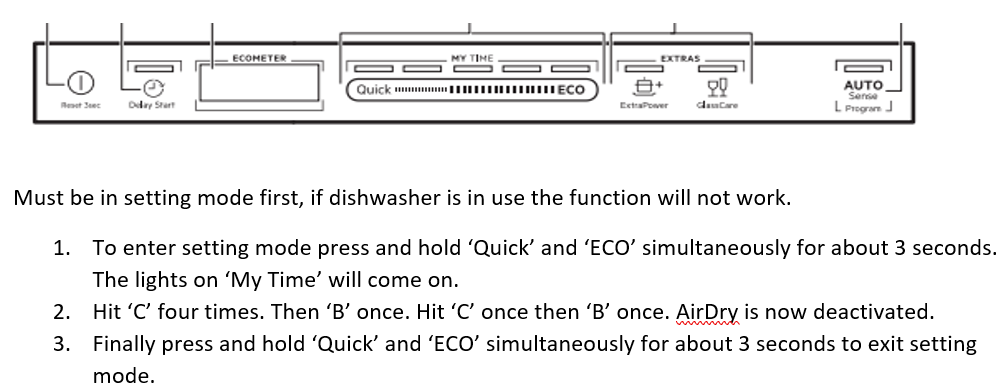
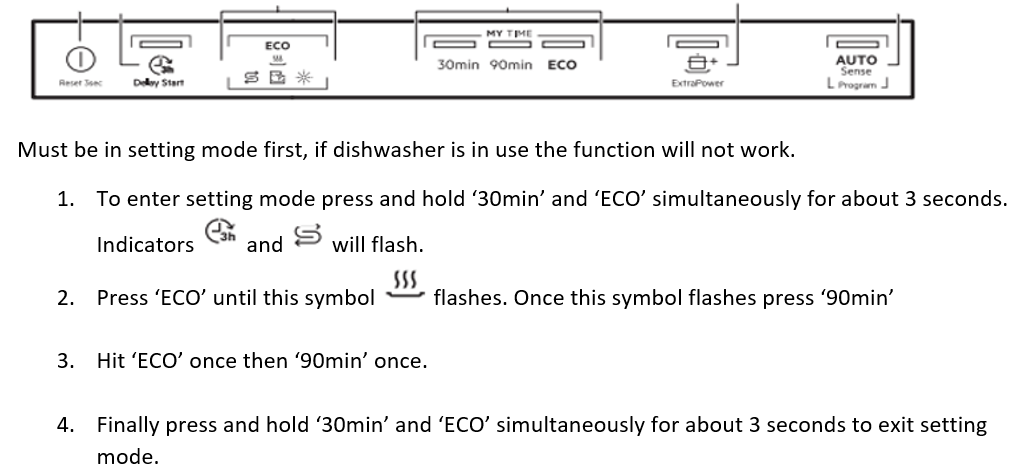
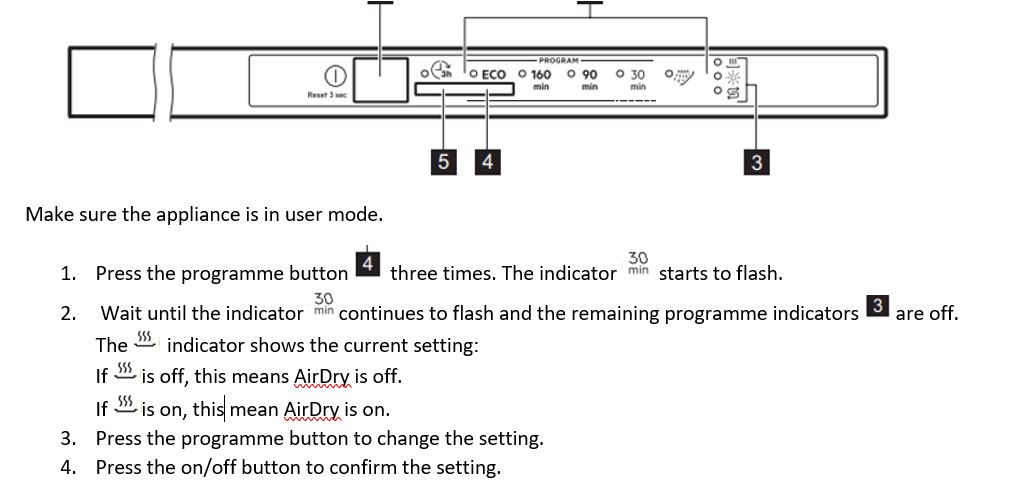
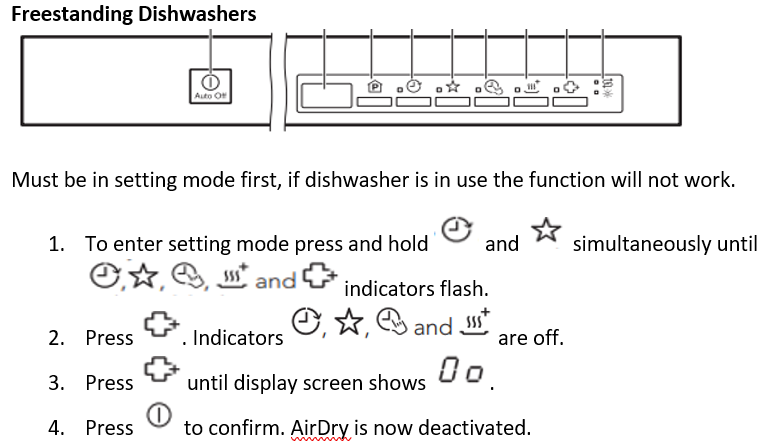
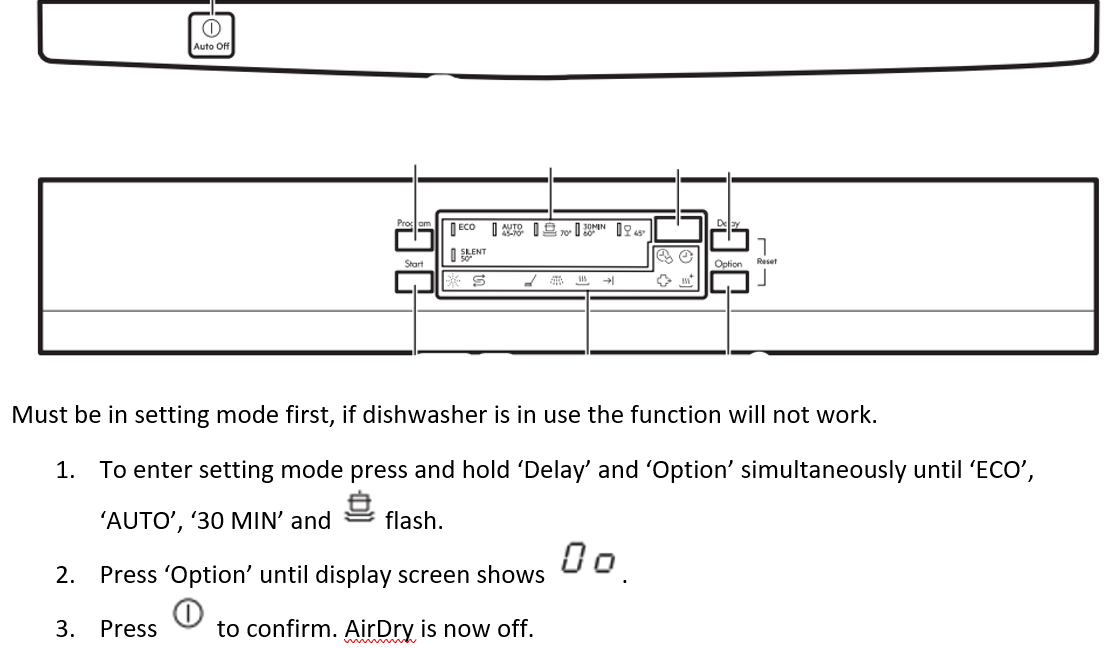
Below shows all of our AEG dishwasher control panels for integrated, semi-integrated and freestanding. Please find the one that looks like yours and follow the instructions. You can use these steps to deactivate and/or activate your AirDry feature.
For detailed description of your dishwasher settings and recommendations please refer to the user manual supplied with your appliance
Was this article helpful?
Related Articles
- Dishwasher displays error code i40, i43 or i44
- Program not starting and cycle indicator light flashing on dishwasher
- Can I use dishwasher salt in my 9000 series washing machine's SoftWater filter?
- Symbols & programmes on your AEG dishwasher
- Dishwasher is not heating up water
- How to remove and clean dishwasher base filters
- How to clean and maintain your AEG dishwasher
- Dishwasher installation (Fixed door)
- Dishwasher does not / will not start but the power is on
- Dishwasher does not switch on, no light on the control panel
Spare parts & Accessories
Find original spare parts and accessories for your appliance in our webshop and have them delivered directly to your door.
Related Articles
- Dishwasher displays error code i40, i43 or i44
- Program not starting and cycle indicator light flashing on dishwasher
- Can I use dishwasher salt in my 9000 series washing machine's SoftWater filter?
- Symbols & programmes on your AEG dishwasher
- Dishwasher is not heating up water
- How to remove and clean dishwasher base filters
- How to clean and maintain your AEG dishwasher
- Dishwasher installation (Fixed door)
- Dishwasher does not / will not start but the power is on
- Dishwasher does not switch on, no light on the control panel