Oven displays CATA
Issue
- Oven displays CATA
- Oven catalytic cleaning reminder
- How to use the catalytic cleaning function in my oven?
Applies to
- Ovens with catalytic self-cleaning function
Resolution
Catalytic Cleaning is the cleaning function on your AEG Oven. It cleans the Catalytic Lining, which is the lining on the sides, roof and back of the oven and it feels a little like sandpaper.
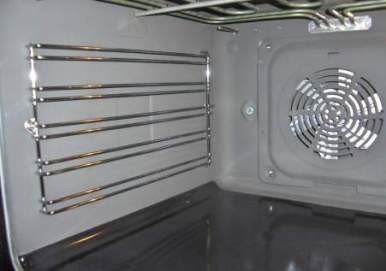
To Run the Catalytic Cleaning Function follow the steps below, there is also a video below which you may find useful.
- Remove all the shelves and the side rails from the oven (these can be washed separately with a soft cloth and mild detergent.
- Clean the oven floor with a mild detergent (this is because the Catalytic Enamel is not on the floor of the oven).
- Clean the inner glass door with a soft cloth and mild detergent.
- Turn the oven on.
- Press the symbol until CATA appears on the display.

- The Cleaning Function will now operate for one hour.
- When the Cleaning function has been completed and the oven has cooled down the shelf supports and accessories can be placed back in the oven.
- Please note the Catalytic Enamel should not be cleaned with detergent
If you have an AEG model with Catalytic Enamel Lining but which does not have the cleaning function, then the Catalytic Enamel Lining can be cleaned by turning the oven on at the Fan Oven Setting at 250° for one hour.
Was this article helpful?
Related Articles
- Symbols and functions on your AEG oven or cooker
- Oven does not heat up
- The oven door cannot be opened after pyrolytic cleaning
- How to Proof Dough in an Oven (Without a Proofing Setting)
- How to use AssistedCooking on your AEG oven
- How to connect your AEG oven to the app
- Oven Trips Fuses or Circuit Breaker – Causes & How to Fix
- How to remove oven shelf supports for cleaning
- Oven cooling fan runs all the time
- Only one oven is working, One oven is not heating (Integrated Double Ovens & Freestanding Cookers)
Related Articles
- Symbols and functions on your AEG oven or cooker
- Oven does not heat up
- The oven door cannot be opened after pyrolytic cleaning
- How to Proof Dough in an Oven (Without a Proofing Setting)
- How to use AssistedCooking on your AEG oven
- How to connect your AEG oven to the app
- Oven Trips Fuses or Circuit Breaker – Causes & How to Fix
- How to remove oven shelf supports for cleaning
- Oven cooling fan runs all the time
- Only one oven is working, One oven is not heating (Integrated Double Ovens & Freestanding Cookers)