How to adjust water hardness level in dishwasher
Issue
- How To Set Dishwasher Water Hardness / Softness Level
Applies to
- freestanding dishwasher
- integrated dishwasher
Resolution
The water softener removes minerals from the water supply, which would have a negative effect on the washing results and on the dishwasher performance. The higher the content of these minerals, the harder your water is.
Water hardness is measured in equivalent scales. The water softener level should be adjusted according to the water hardness of your water supply (see below table). The adjustment is necessary regardless of the detergent type used to ensure good dishwashing results and to keep the salt indicator active.
Your local water authority can advise you on the water hardness in your area. The default factory setting is level 5.
The images and step-by-step instructions shown below are based on a specific dishwasher model. The appearance, controls, and procedures may differ on other models. Always refer to the user manual for your dishwasher for model-specific instructions and guidance.
To adjust water hardness level in a dishwasher with a QuickSelect panel, follow the steps below:

How to enter setting mode
First, enter the SETTINGS mode by pressing the Quick and ECO buttons for about 3 seconds.
You can enter setting mode before starting a programme. You cannot enter setting mode while the programme is running.
How to navigate in setting mode
Three LEDs will light up on the MY TIME bar
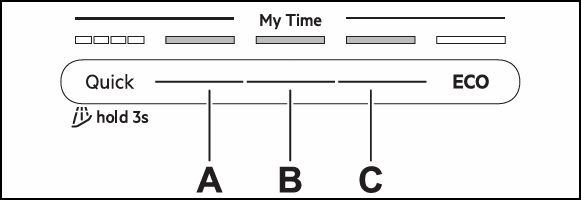
A - Previous button
B - OK (Confirm) button
C - Next button
The display shows the first setting: HAr (Water Hardness).
How to change a setting
1. Press Previous or Next to select a setting. The display shows the setting name.
2. Press Confirm to enter the setting. The current setting value flashes.
3. Press Previous or Next to change the value.
4. Press Confirm to confirm the setting. The setting is saved. The appliance returns to the settings list.
5. To exit setting mode, press and hold simultaneously ECO and AUTO for about 3 seconds. The appliance returns to the programme selection.
The saved settings remain valid until you change them again.
Water hardness table
German degrees (°dH) | French degrees (°fH) | mmol / l | Clarke degrees | Water softener level |
47 - 50 | 84 - 90 | 8.4 - 9.0 | 58 - 63 | 10 |
43 - 46 | 76 - 83 | 7.6 - 8.3 | 53 - 57 | 9 |
37 - 42 | 65 - 75 | 6.5 - 7.5 | 46 - 52 | 8 |
29 - 36 | 51 - 64 | 5.1 - 6.4 | 36 - 45 | 7 |
23 - 28 | 40 - 50 | 4.0 - 5.0 | 28 - 35 | 6 |
19 - 22 | 33 - 39 | 3.3 - 3.9 | 23 - 27 | 5 factory setting |
15 - 18 | 26 - 32 | 2.6 - 3.2 | 18 - 22 | 4 |
11 - 14 | 19 - 25 | 1.9 - 2.5 | 13 - 17 | 3 |
4 - 10 | 7 - 18 | 0.7 - 1.8 | 5 - 12 | 2 |
<4 | <7 | <0.7 | < 5 | 1 do not use salt at this level |
Important: Multi-tabs with a softening agent have limited effectiveness in softening water. Refer to the product packaging.
See the instructional video How to clean hard water build-up in dishwasher & adjust hardness level
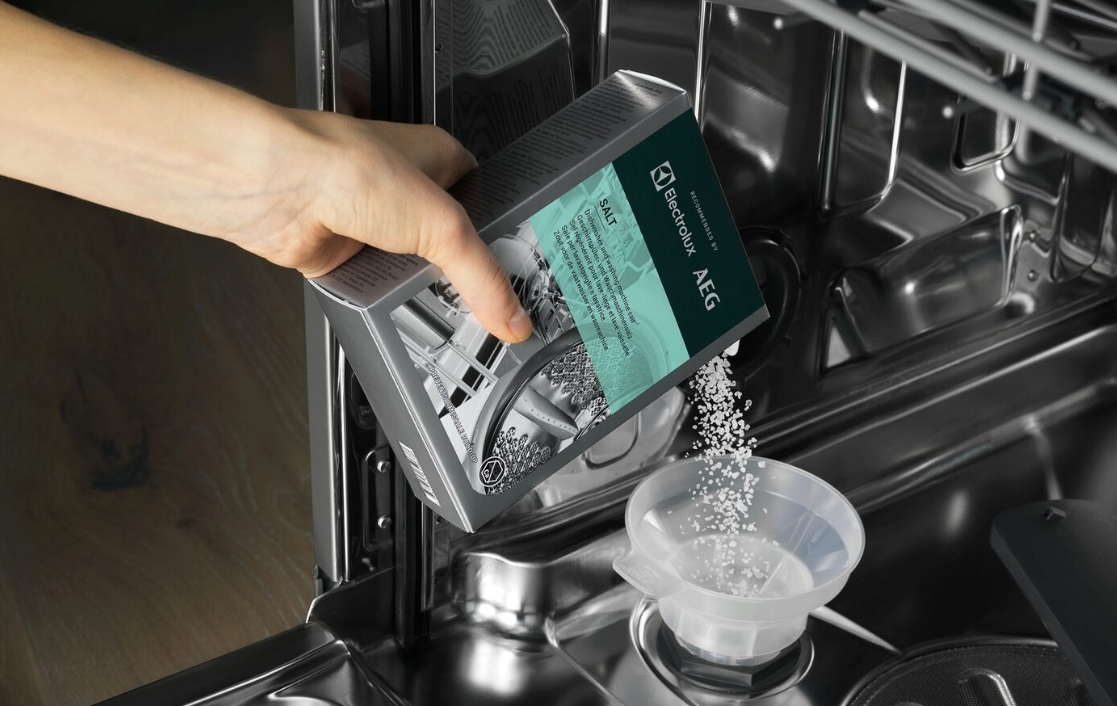
We recommend dishwasher salt, rinse aid, and cleaning detergents available on our Webshop.
Was this article helpful?
Related Articles
- Is it possible to connect the dishwasher to hot water supply?
- The auto-cleaning indicator ("Machine Care") lights up on the dishwasher
- Dishwasher displays error code i40, i43 or i44
- Program not starting and cycle indicator light flashing on dishwasher
- Can I use dishwasher salt in my 9000 series washing machine's SoftWater filter?
- Symbols & programmes on your AEG dishwasher
- Dishwasher is not heating up water
- How to remove and clean dishwasher base filters
- How to deactivate/turn off AirDry/door opens automatically on AEG dishwasher
- How to clean and maintain your AEG dishwasher
Spare parts & Accessories
Find original spare parts and accessories for your appliance in our webshop and have them delivered directly to your door.
Related Articles
- Is it possible to connect the dishwasher to hot water supply?
- The auto-cleaning indicator ("Machine Care") lights up on the dishwasher
- Dishwasher displays error code i40, i43 or i44
- Program not starting and cycle indicator light flashing on dishwasher
- Can I use dishwasher salt in my 9000 series washing machine's SoftWater filter?
- Symbols & programmes on your AEG dishwasher
- Dishwasher is not heating up water
- How to remove and clean dishwasher base filters
- How to deactivate/turn off AirDry/door opens automatically on AEG dishwasher
- How to clean and maintain your AEG dishwasher