How to bake restaurant-quality pizza with AEG's PizzaExpert function
Resolution
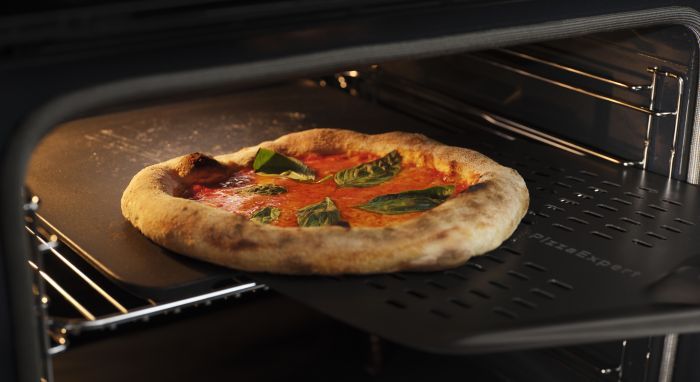
Turn homemade pizzas into crisp, golden favourites. PizzaExpert combines precisely controlled, even heat with a specially designed cast-iron pizza tray to deliver crisp bases and light, airy crusts in as little as 2.5 minutes at 340°C.
How to bake pizza with the PizzaExpert function
- Place the pizza tray on the wire shelf at position 4, as marked on the oven wall.
- Select the PizzaExpert function, then follow the instructions on the display.
- Wait for the oven to preheat. It heats to 340°C in about 25 minutes. You will hear a beep and the display will indicate when the correct temperature is reached.
- Open the oven door and use the pizza peel to place the pizza on the cast-iron pizza tray.
- Close the oven door and press Start.
- Bake for 2.5 minutes. The oven will let you know when the pizza is ready.
- For a darker crust, extend the cooking time in 15-second intervals.
- Press Stop to end cooking, or Reheat to start reheating the tray for a second pizza. Reheating the oven to 340°C takes 2.5 minutes. Continue in the same way for each pizza.
- Let the pizza tray cool before removing it.
Tips and tricks
- Wait until the oven is fully preheated before placing the pizza on top of the pizza tray. This helps create a crisp base and evenly baked results.
- Use the AEG app for recipes on making pizza dough and tomato sauce. It helps you create restaurant-quality flavour and get the most from PizzaExpert.
PizzaExpert Kit
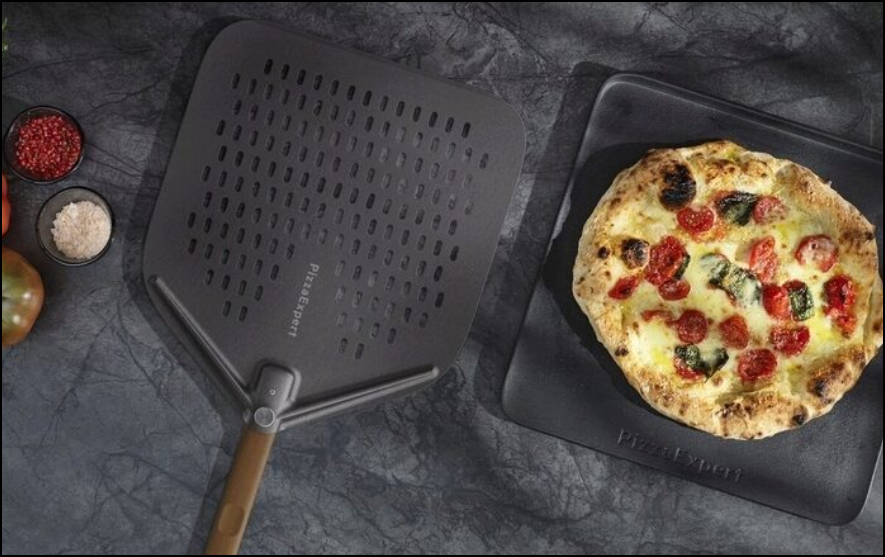
The PizzaExpert kit: Two accessories that ensure consistent results. A cast-iron tray specially designed to withstand baking at higher temperatures. Plus a perforated pizza peel designed to minimise sticking and make handling pizzas easy.
Discover more about cooking with PizzaExpert Kit.
Now that you’ve mastered pizza making with PizzaExpert, explore the other advanced functions designed to help you get more from your AEG oven.
Was this article helpful?
Related Articles
- How to Proof Dough in an Oven (Without a Proofing Setting)
- How to set the clock on an AEG oven
- How To Use Dough Proving Oven Function
- Oven display shows PYR
- How to use the Aqua Clean function on your Oven
- How to clean stainless steel or aluminium oven front panel / door?
- Oven displays error code with prefix F
- The time is not shown on the display when the oven is turned off
- Oven light does not work
- Symbols and functions on your AEG oven or cooker
Related Articles
- How to Proof Dough in an Oven (Without a Proofing Setting)
- How to set the clock on an AEG oven
- How To Use Dough Proving Oven Function
- Oven display shows PYR
- How to use the Aqua Clean function on your Oven
- How to clean stainless steel or aluminium oven front panel / door?
- Oven displays error code with prefix F
- The time is not shown on the display when the oven is turned off
- Oven light does not work
- Symbols and functions on your AEG oven or cooker