How to clean your AEG oven and PizzaExpert accessories
Resolution
Keep your AEG oven and PizzaExpert accessories clean and performing at their best. The oven features a Pyrolytic Cleaning function that uses very high temperatures to turn grease and food residue into ash, so you can wipe it away easily.
How to clean the oven interior
When the reminder appears on the display, cleaning is recommended.
- Ensure the oven is switched off and cool before you start.
- Remove all accessories, trays and side racks as described in the oven manual.
- Switch on the oven and select Pyrolytic Cleaning. Choose the cleaning duration based on how much cleaning is needed.
- When the cleaning cycle is complete, allow the oven to cool until it is safe to touch.
- Wipe away the ash with a damp cloth to clean the oven cavity.
- Put the accessories, trays and side racks back in place.
Learn more about how to use Pyrolytic Cleaning on your AEG oven.
How to clean the PizzaExpert accessories
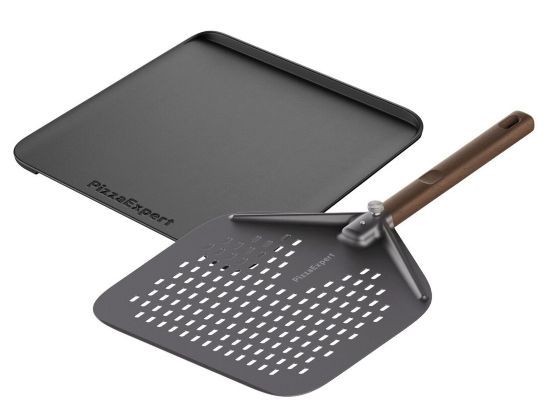
Clean the accessories after each use to prevent food residue build-up.
- Pizza peel: Hand-wash with a soft sponge and mild, neutral detergent.
- Cast-iron pizza tray: Allow to cool completely before removing it from the oven for washing. Then clean it by hand with a mild, neutral detergent, using a soft sponge or a plastic brush fitted with a sponge.
Avoid abrasive sponges or harsh detergents to help keep them in good condition over time.
Master the art of pizza-making using our standard Pizza function or elevate your technique with the advanced PizzaExpert function.
Was this article helpful?
Related Articles
- Oven display shows PYR
- How to set the clock on an AEG oven
- How to Proof Dough in an Oven (Without a Proofing Setting)
- How to use the Aqua Clean function on your Oven
- How to clean stainless steel or aluminium oven front panel / door?
- Oven displays error code with prefix F
- The time is not shown on the display when the oven is turned off
- Oven light does not work
- Symbols and functions on your AEG oven or cooker
- Can I use both cavities at the same time in my double oven?
Related Articles
- Oven display shows PYR
- How to set the clock on an AEG oven
- How to Proof Dough in an Oven (Without a Proofing Setting)
- How to use the Aqua Clean function on your Oven
- How to clean stainless steel or aluminium oven front panel / door?
- Oven displays error code with prefix F
- The time is not shown on the display when the oven is turned off
- Oven light does not work
- Symbols and functions on your AEG oven or cooker
- Can I use both cavities at the same time in my double oven?